How much file size do extra PNG to ICO dimensions add?
By Leon Warren · Published November 1 2026
Adding the full seven-size set raised these three local ICO outputs from 222–512 bytes with only 16px selected to 5,215–144,967 bytes. The texture sample drove the largest file. These measurements came from the current SVGtopix converter module through @napi-rs/canvas 1.0.13, not a live Chrome export.
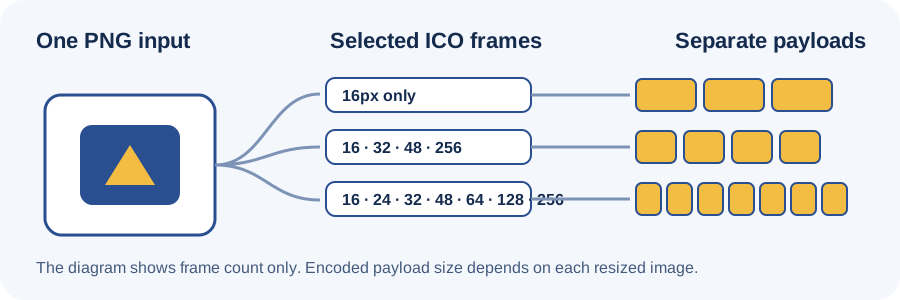
The frame count is only part of the file. Each selected size adds a PNG payload, and the payload depends on the resized pixels and encoder. The table compares the same input sample across three size selections.
Measured ICO file sizes
Every source was a generated 128 × 128 PNG. “16 only” selects 16. “Four frames” selects 16, 32, 48 and 256. “Seven frames” selects 16, 24, 32, 48, 64, 128 and 256. Added bytes are the measured output length minus the 16-only output for the same sample.
| Sample | PNG input | 16 only | Four frames | Added vs 16 | Seven frames | Added vs 16 | 256px PNG payload in seven-frame file |
|---|---|---|---|---|---|---|---|
| flat-mark | 1,222 | 343 | 6,171 | 5,828 | 8,622 | 8,279 | 4,648 |
| checker-mark | 725 | 222 | 3,644 | 3,422 | 5,215 | 4,993 | 2,603 |
| seeded-texture | 32,704 | 512 | 104,520 | 104,008 | 144,967 | 144,455 | 97,684 |
The seven-frame files were not a fixed multiple of the 16-only files. The 256px payload alone measured 4,648 bytes for flat-mark, 2,603 for checker-mark and 97,684 for seeded-texture. These are the decoded directory payload lengths, not estimates from preview images.
The included packer writes a 6-byte ICO header and a 16-byte directory entry per frame, followed by the encoded PNG payloads. For example, the flat-mark four-frame output is 70 directory bytes plus payloads of 321, 425, 707 and 4,648 bytes, totaling 6,171 bytes. The decoder reads those values from the saved files.
How to reproduce the byte counts
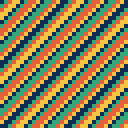
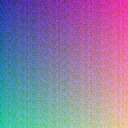
The experiment generated three 128 × 128 PNGs: a flat three-color mark, a repeated four-color checker pattern and an opaque seeded texture. Each identical source was converted with one selected frame, a four-frame set and all seven frames. The saved ICO files were read back, not measured from the page preview.
The decoder checks the ICO header and directory count, validates each payload range, confirms the PNG signature, and compares each directory size with the embedded PNG dimensions. It then records the payload length, offset and total file length in measurements.json.
Download flat-mark.png · Download checker-mark.png · Download seeded-texture.png · Download all samples, ICO outputs and scripts.

- Extract the evidence package and run
npm install. - Run
node make-samples.mjs, thennode run-local.mjs. - Compare the newly written
measurements.jsonand ICO files with the included records.
What the inspected converter pages show
The saved CloudConvert PNG-to-ICO page describes controls for resolution, quality and file size. The FreeConvert page describes presets and single-size choices. The Convertio page lists common ICO sizes. In the captured text of those three direct pages, I found no same-input byte table for these frame selections. This observation is limited to those pages and captures; it is not a claim about every page on those sites or the web. The measurements here do not compare competitor outputs.
CloudConvert PNG to ICO · FreeConvert PNG to ICO · Convertio PNG to ICO
Questions this run answers
Does adding another size add the same number of bytes every time?
No. In these files, the 256px PNG payload ranged from 2,603 to 97,684 bytes across the three source patterns.
Does a larger ICO file mean the preview looks sharper?
This measurement records container bytes and embedded dimensions. It does not measure visual quality or test an installed icon.
Should I select only one size?
This run measures file-size cost only. It does not determine which dimensions your target application needs.
Known boundary
These numbers describe three generated PNGs and a local adapter using the current converter module; exact browser-encoded bytes, Windows frame selection and other image patterns were not tested.