Measured profiles: not a preview-only claim
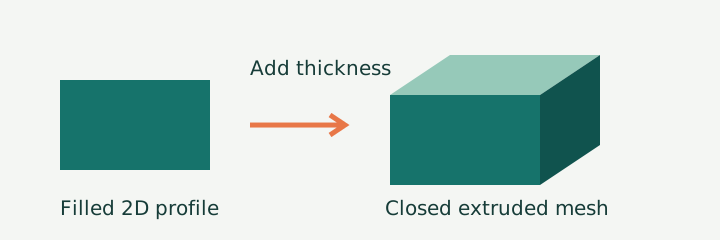
Our rectangle exported as a 40 × 20 × 2 coordinate-unit solid with 12 triangles and 684 bytes. The chamfered profile had the same outer dimensions but 28 triangles and 1,484 bytes. Removing those corners changed the decoded signed volume from 1,600 to 1,500 cubic coordinate units; the thicker triangle measured 900. These are file measurements, not a slicer's estimate or a print result.
The exporter interprets the chosen width and thickness as millimeters. The STL file does not store that choice, so import it as millimeters in your slicer. Its SVG viewBox does not determine the final print width in this tool: the width field does.
| Profile | Decoded X × Y × Z (mm) | Triangles | STL bytes | Edges without exactly two incident faces | Signed volume (mm³) |
|---|---|---|---|---|---|
| rectangle | 40 × 20 × 2 | 12 | 684 | 0 | 1600.000 |
| triangle | 30 × 20 × 3 | 8 | 484 | 0 | 900.000 |
| chamfered-plate | 40 × 20 × 2 | 28 | 1484 | 0 | 1500.000 |
All measurements above come from reading the saved binary files. Our script counts every triangle, collects every vertex, and tallies each undirected edge. A zero in the edge column means every edge in that fixture has two incident faces. It does not prove arbitrary uploaded artwork is printable.
Download the actual source and output files
- rectangle: source SVG · exported STL · decoded vertices
- triangle: source SVG · exported STL · decoded vertices
- chamfered-plate: source SVG · exported STL · decoded vertices


Download the complete evidence ZIP. All three sources contain a single filled polygon. The rectangle and triangle intentionally use few corners; the chamfered plate adds corners without changing its bounding box. This isolates outline complexity from final outside dimensions.
Decode and reproduce the measurements
Download measure.mjs and mesh.mjs into one folder. Run node measure.mjs with Node.js. It generates the source SVGs, extrudes each profile, writes binary STL, then reads those saved files back independently. No package installation is required. The browser tool imports the same mesh module; it is not a screenshot or an embedded SVG image.
File size and triangle counts are literal decoded values. Signed volume is the sum of each decoded triangle's scalar triple product divided by six. The table displays that sum rounded to three decimal places; unrounded floating-point values remain in the JSON. Edge membership uses exact decoded coordinates for these fixtures.
Machine-readable geometry records
Read measurements.json for bounds, dimensions, byte counts, edge counts and UTC timestamps, and cases.json for input coordinates and settings. The per-sample vertex downloads preserve every decoded triangle vertex, including repeated vertices. This is a mesh experiment: pixel sampling, antialiasing and PNG export multipliers are not applicable and were not measured.
What this run establishes
The measurements apply only to these three generated profiles and this exporter. We checked dimensions, signed volume and edge incidence. We did not physically print a model, test material strength, validate a printer profile, or test every slicer. No claim here establishes universal print readiness. Curves, holes, overlapping shapes, groups, transforms, strokes, images and text are rejected by this limited browser tool.
Repeat the browser workflow
- Download one source SVG above. Drop it into the tool or choose the file.
- For rectangle and chamfered-plate choose width 40 and thickness 2. For triangle choose width 30 and thickness 3. These settings are also in cases.json.
- Choose Generate STL and download the file. A profile preview is two-dimensional; the download is the extruded triangle mesh.
- Run the supplied decoder and compare the saved measurements. Check the dimensions and mesh warnings in your slicer before generating printer instructions.
For general SVG artwork, an alternative is OpenSCAD's SVG import followed by linear extrusion. Its official command reference lists SVG import and linear_extrude. That is a separate workflow, not the tool tested in this table. Do not rename an SVG extension to STL; that does not create a mesh.
Does a thin line become a printable wall?
Not in this tool. Convert the stroke to a filled outline in your editor first, then use a workflow supporting that outline. Our restricted uploader rejects stroke attributes rather than guessing a wall thickness.
Does SVG color determine height?
No. This tool creates a uniform extrusion from one outline. It does not interpret brightness as relief height or preserve color in the STL.
Known boundary
These three meshes passed our file-level checks; their behavior on a physical printer remains untested.